Designing the competitive esports experience at PlayVS
I built a connected league experience that helps coaches navigate every week of the season and gives players a clear, trustworthy view of matches, standings, and playoffs.
Product
PlayVS
PlayVS organizes competitive gaming for middle and high schools across North America.
Project details
- Platform
- Desktop & mobile web
- Team
- Product · Engineering · Operations · Research · Sales
- Scope
- 0→1 product design · UX/UI · Research · Information architecture · Design systems · Brand & go-to-market design · Publisher & sponsorship integration
- Duration
- 2023–2024
ProblemThe product sent users elsewhere for answers
League information lived across product pages, help articles, and email. When the product couldn’t explain deadlines, next steps, or playoff implications, coaches and players turned elsewhere for answers.
SolutionA reusable framework across 300+ leagues
I unified league home, schedules, matches, standings, and playoffs into one reusable framework. As new partners, state associations, leagues, and esports joined, internal teams could reuse established patterns without reopening the same product and engineering decisions.
ResultThe #2 most-visited page supported over $1M in sponsorship opportunities
League home became the second most-visited page in the product, while league-related support tickets fell 36% after launch. Its flexible content model also gave partnership teams room to integrate new sponsorships.
Impact
- 64%
- increase in league page visitsComparing league page visits before and after the redesign launched in 2024.
- 25%
- increase in team creationMeasured on the league page after the redesigned creation flow launched.
- 36%
- fewer support ticketsBased on league-related Customer Experience ticket volume after launch.
- 97%
- successful check-insUp from 62% in 2023 after improvements to the check-in flow.
01 · Context
PlayVS brings organized esports to middle and high schools.
Official publisher partnerships
PlayVS gives schools the structure to run esports like an organized school sport—from onboarding and team enrollment to schedules, standings, and state championships.
Today, 250K+ students across 7K+ schools and universities spend 6M+ hours on the platform each year, and PlayVS has helped award more than $5M in scholarships.
- Pre-competitionSchool onboardingProgram consultationTeam enrollment
- ↑ my ownershipCompetitionExplore leaguesManage schedulesCheck standings & results
- Post-competitionRecognize playersConnect with parentsScholarships & rewards
02 · Problem
The season changed every week. The league page stayed the same. Coaches and players had to look elsewhere for what came next.

Cares about
- What’s due this week?
- What happens next?
- Is every team ready?
Cares about
- Did my result count?
- Where does my team stand?
- Are we playoff-bound?

03 · Goals + North Star
To build one reusable competition framework that could scale across 18 esports titles and 300+ leagues, while adapting to every state association.
Designed for the real world: Rules vary across state associations, NFHS, publishers, and 18 esports titles, but the experience still has to feel simple across 300+ leagues.
Built on the existing model: The framework had to work with PlayVS’s season data for weeks, matches, scores, and standings—not replace it.
Designed for reuse: Engineering worked across multiple bets, so each decision favored clear states, reusable patterns, and as little new logic as possible.
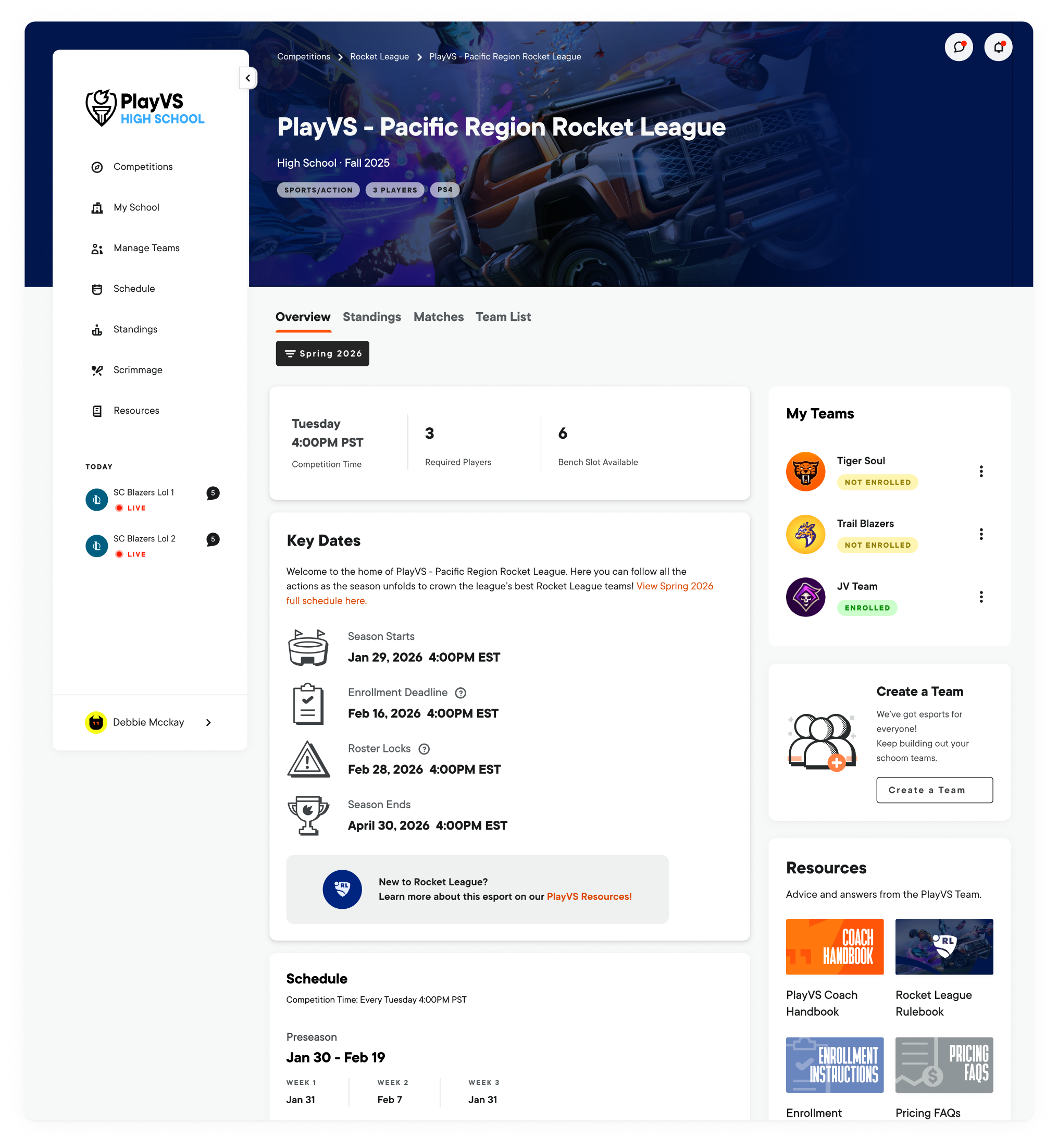

04 · Process + key insights
Interviews and usability sessions with Super Coaches, players, and parents revealed a shared need for clearer guidance through the season—where they stood, what required attention, and what came next.
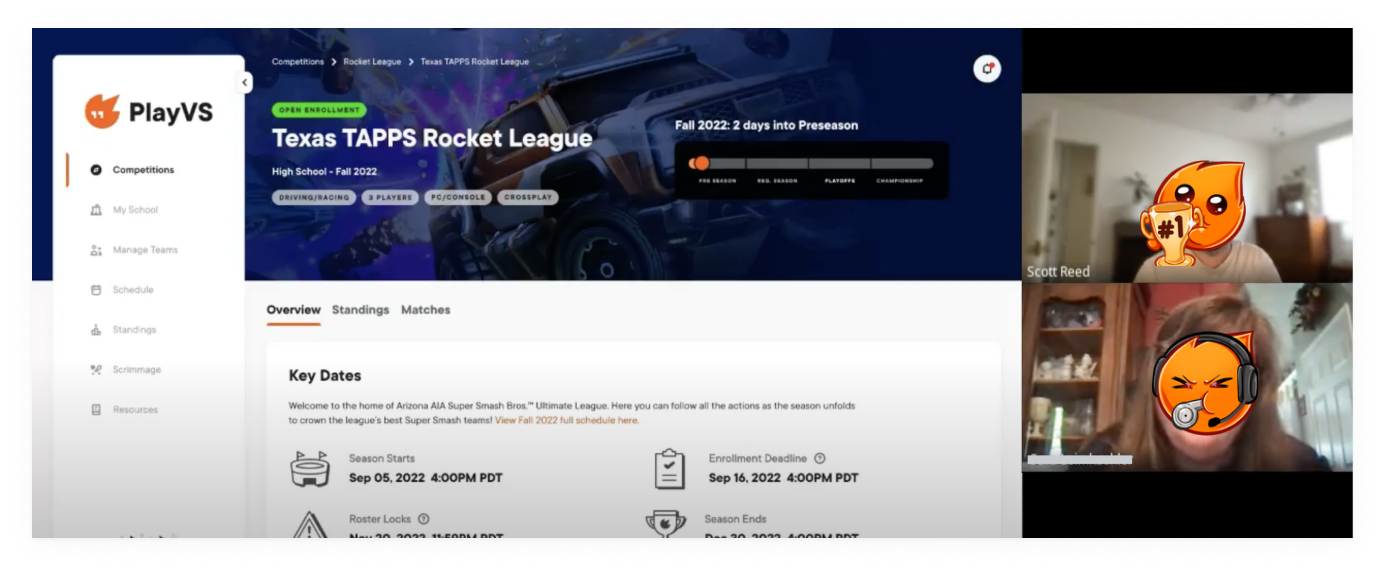
Players wanted the bigger competitive picture. They wanted to follow how other teams were performing, scout upcoming opponents, and understand their own path through the standings.
Coaches needed their work surfaced first. They needed a fast way back to enrolled leagues, a clear view of each team’s performance, and the actions that required attention.
The season needed to explain itself. Deadlines, match status, standings, and what came next had to be visible without relying on help articles, email, or platform terminology.
05 · Esports branding
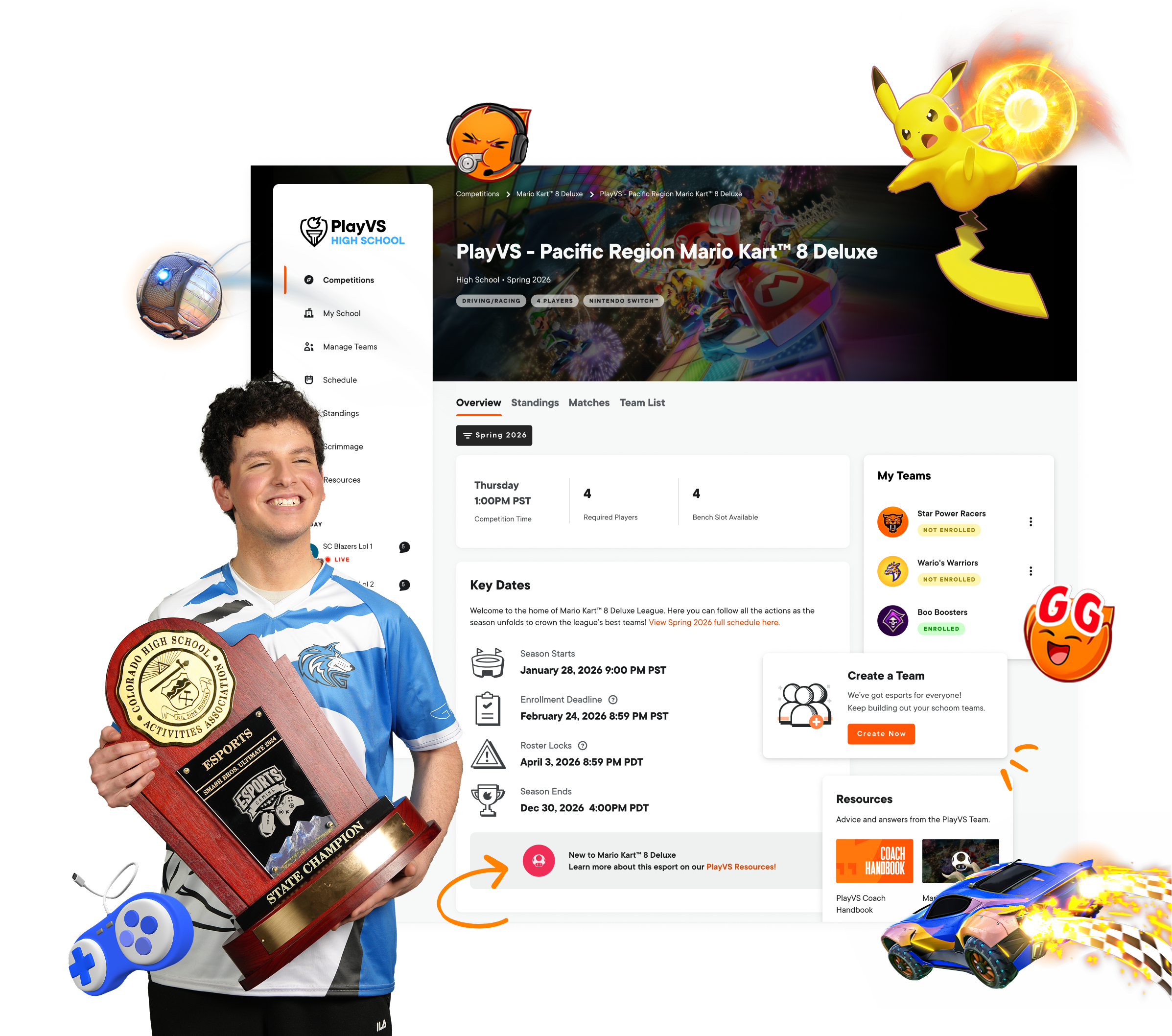
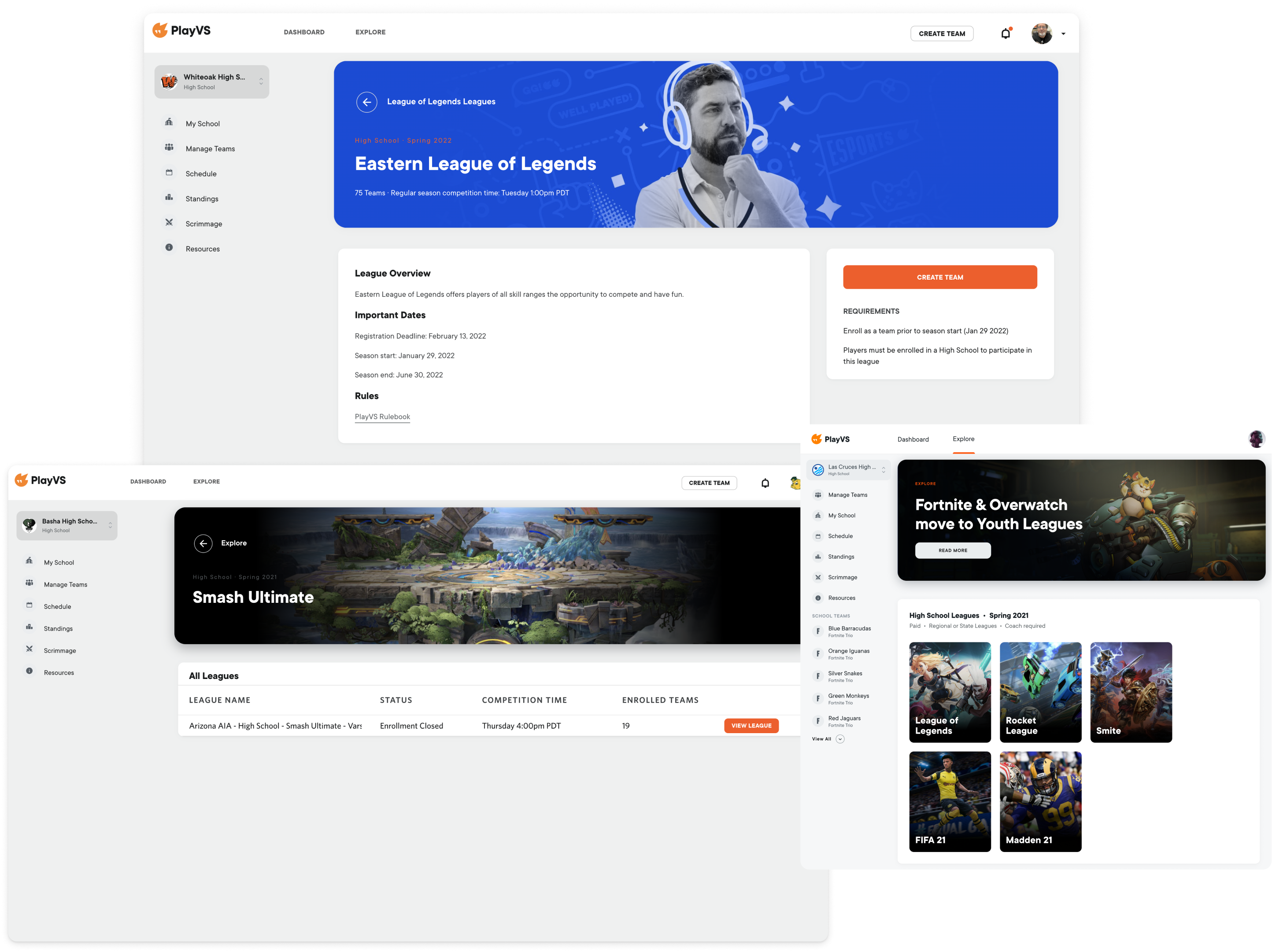
The first high-impact UI win was making each title instantly recognizable. Publisher-approved key art gave every esport its own energy while the framework stayed consistent underneath.
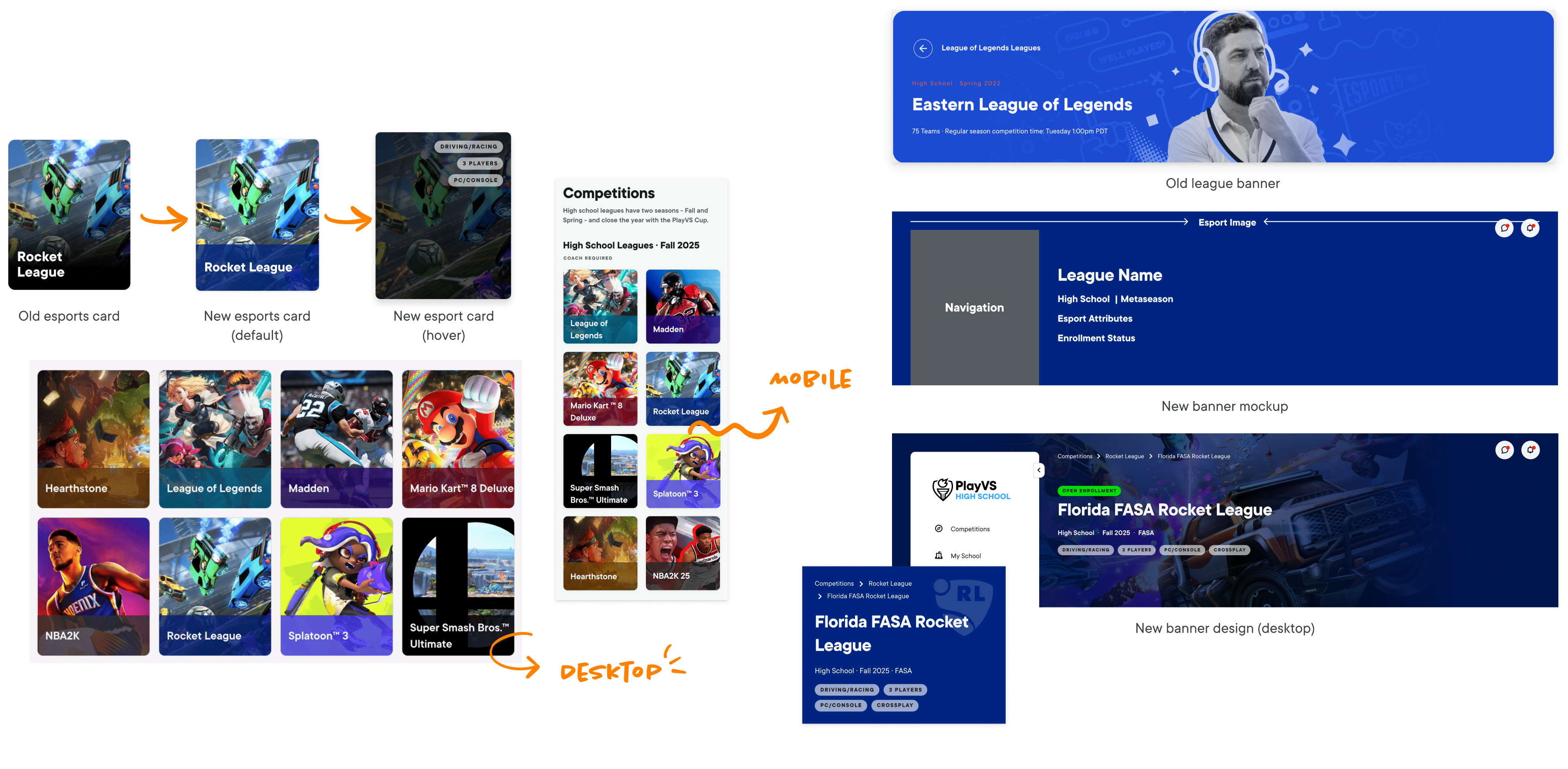
06 · Design
Design 1/3
Better wayfinding through competitions
This flow connects the competitions catalog, individual esport pages, and league hubs into one predictable path. Enrolled leagues are surfaced within each esport, helping coaches narrow a large catalog without losing context or retracing their steps. It reflects what we heard in research: coaches needed their active competitions prioritized over the broader catalog.
Design 2/3
See every match across the league
This view brings every team's schedule, result, and match status into one shared record of the league. Players can follow more than their own team, see how other teams are performing, and understand how each result affects the competition around them. Consistent status language makes it clear which matches are upcoming, in progress, or resolved.
Design 3/3
Follow the season from standings to playoffs
This experience connects regular season standings and playoff brackets into one continuous view of league progression. Players can compare records, track changes in rank, scout likely opponents, and understand how regular season performance shapes the playoff path.
07 · Built to scale
Once the season hierarchy and league language were stable, the framework became shared infrastructure—reused across new competition formats and the internal tools behind them.
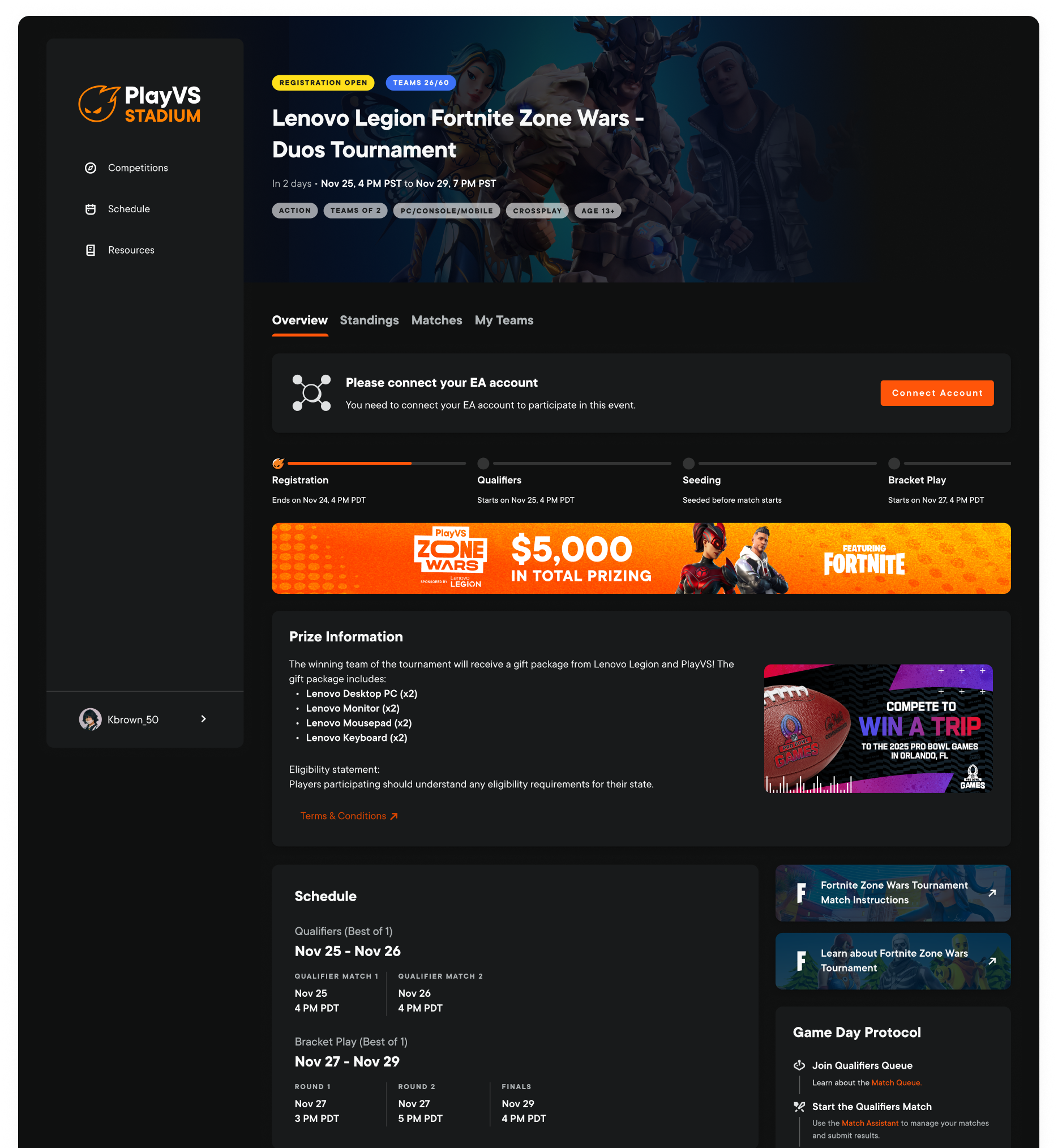
PlayVS Stadium
PlayVS Stadium brings organized competition to amateur esports. Reusing the same league hierarchy, schedules, standings, and brackets let us ship Stadium faster without reinventing core competitive patterns.
Checkpoint
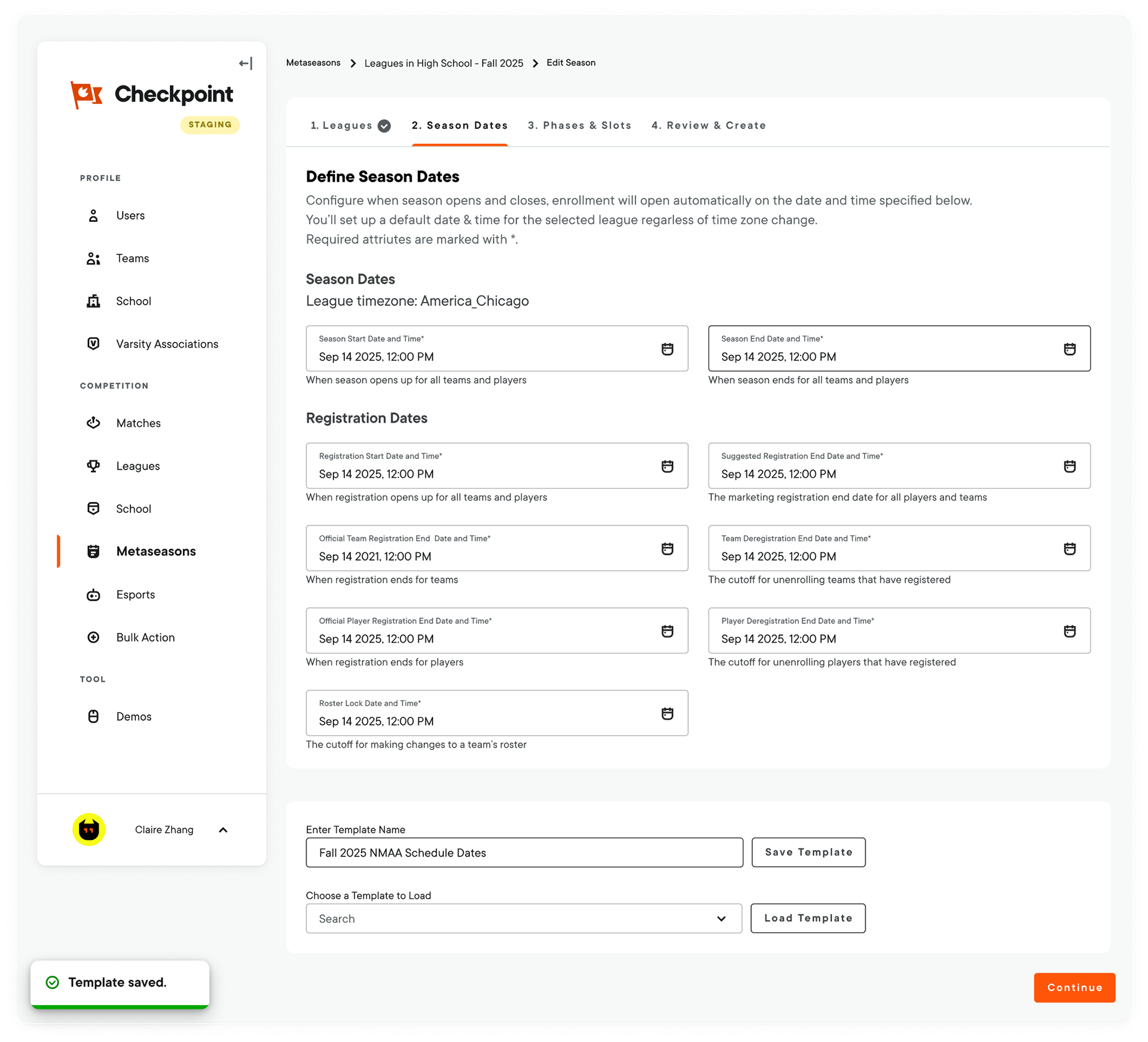
I owned the end-to-end design of Checkpoint, the internal product behind the customer experience. It gave Sales and Operations one place to configure leagues, manage seasons, and resolve live competition issues at scale.
08 · Sponsorship integration
A flexible league page for PlayVS’s first $1M sponsorship
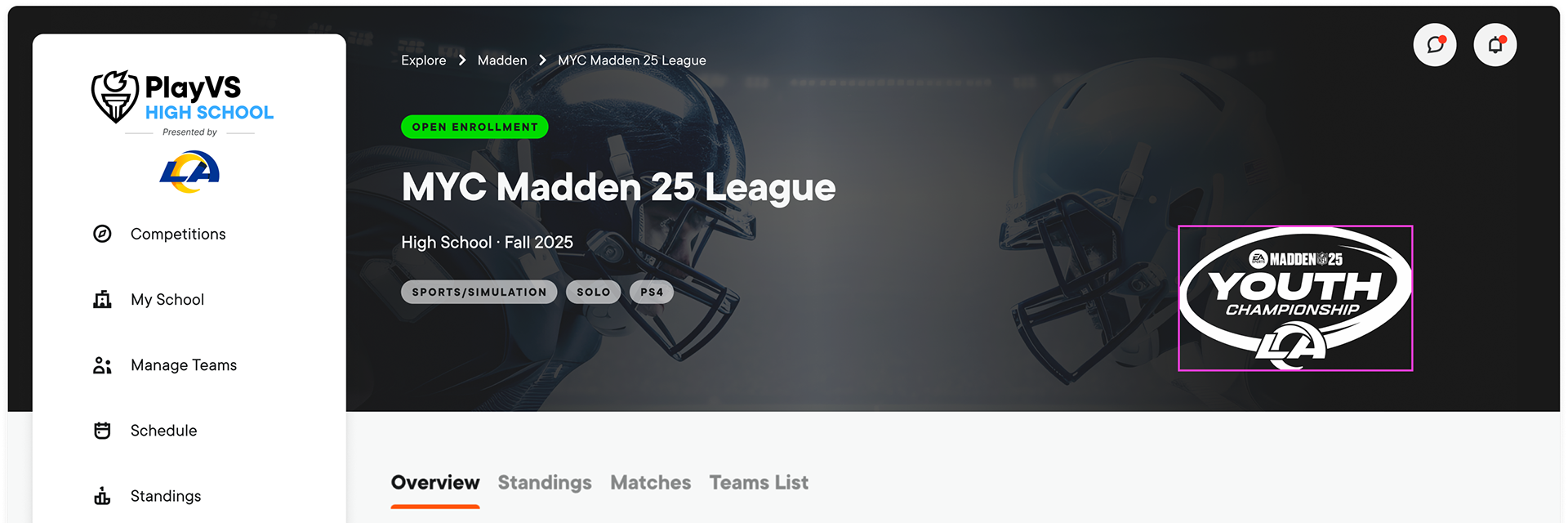
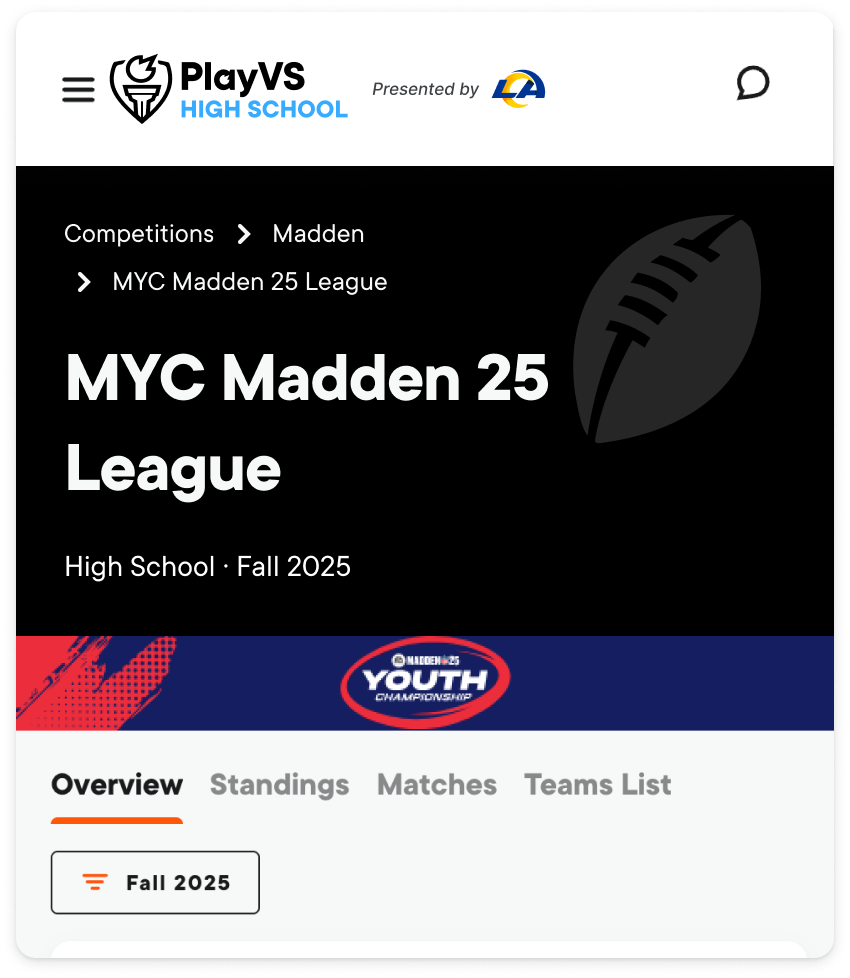
For the NFL partnership, Product and Partnerships used existing content regions to integrate presented-by branding, campaign artwork, and championship assets across desktop and mobile. The league structure stayed consistent, so future sponsors could use the same system.
09 · Nexus Design System
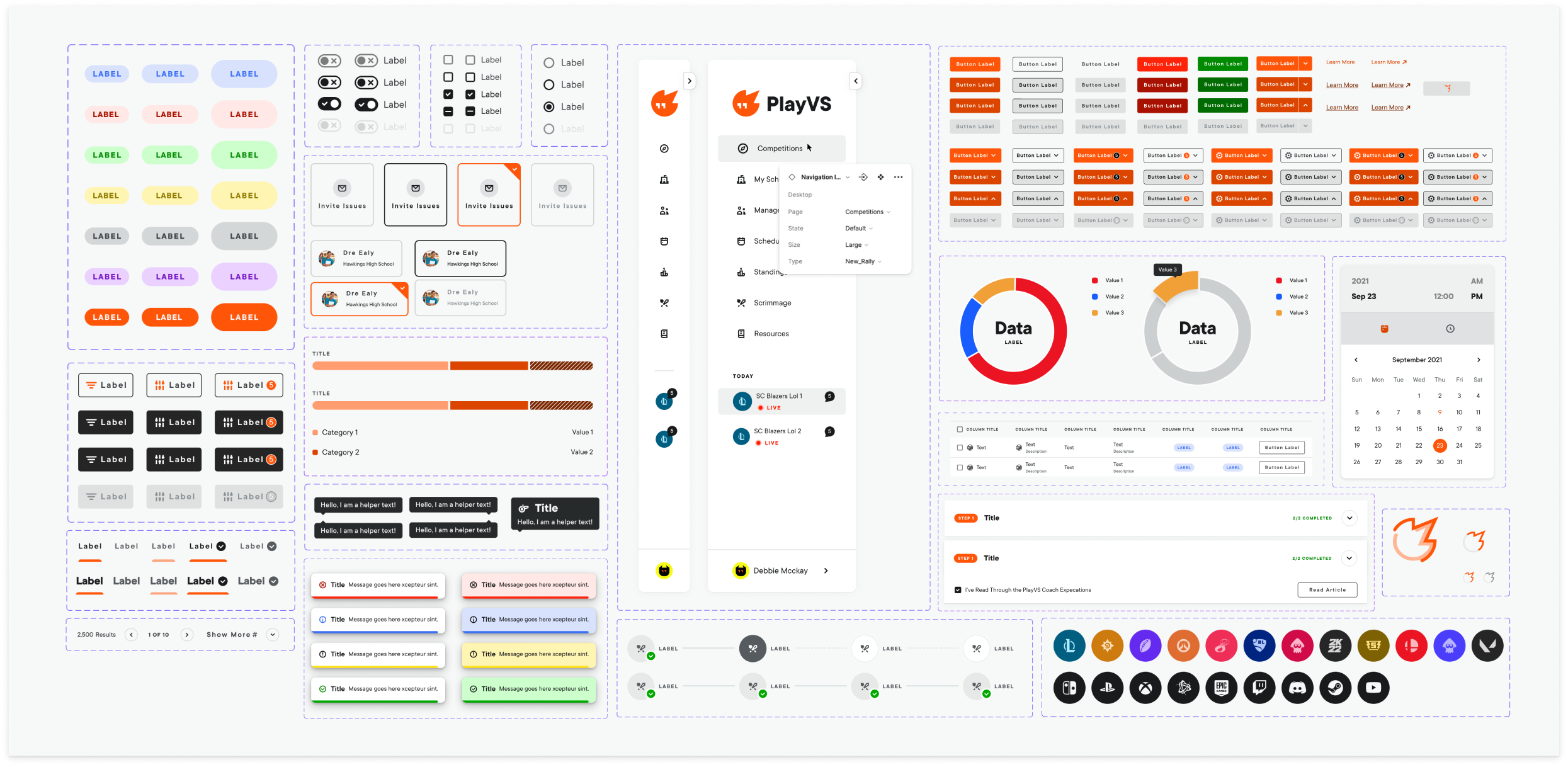
I partnered with engineering to standardize league components, esports assets, and compliance rules in Nexus, with implementation documented in Storybook. New titles could build from proven patterns instead of revisiting the same design and engineering decisions.
Explore the Nexus Design System case study →10 · System beyond the product
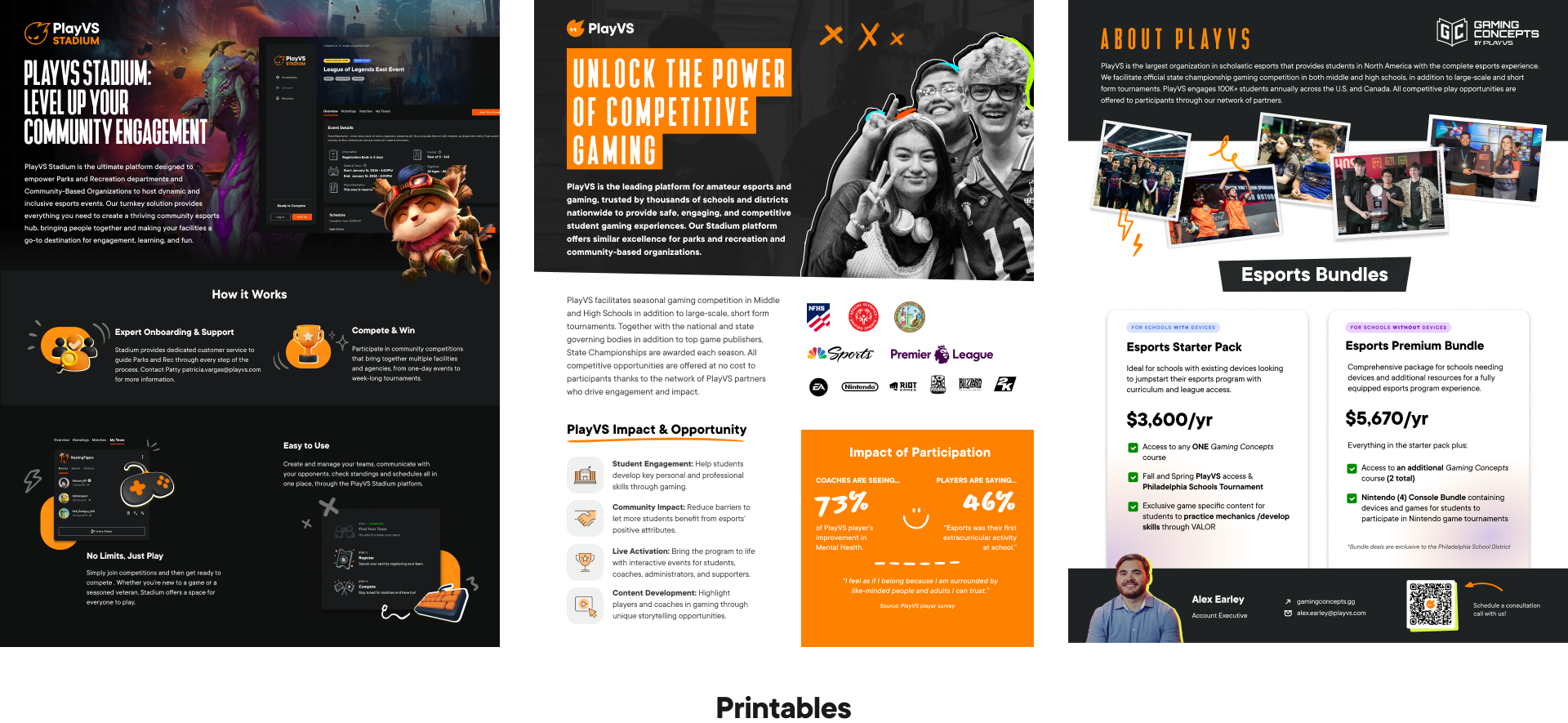
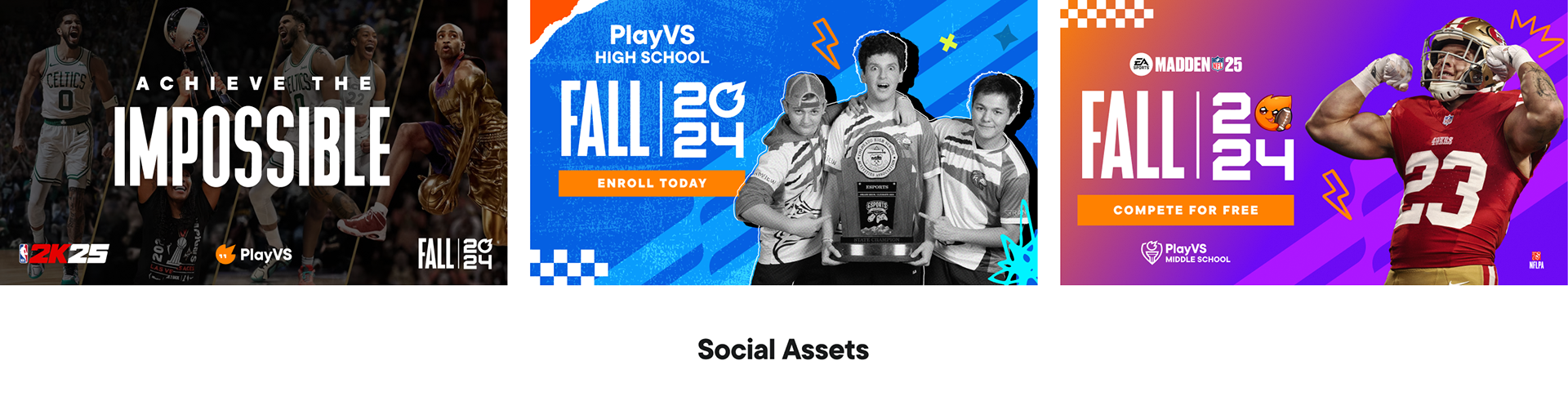
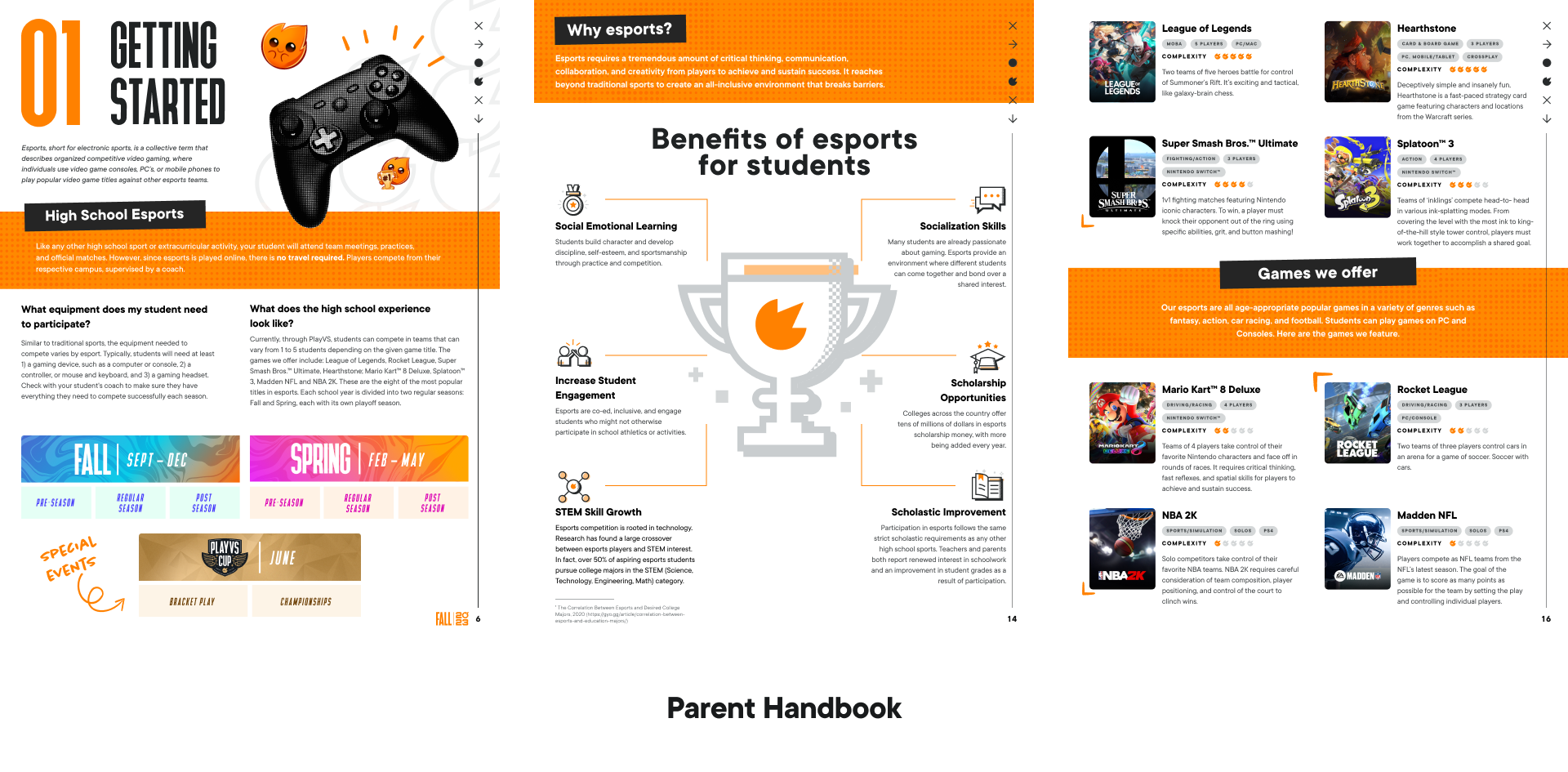
At a startup, I wore multiple hats across product, brand, and go to market work. I carried the same league language, esports theming, and publisher rules into coach handbooks, enrollment campaigns, social assets, and printables, giving coaches one coherent story from enrollment through competition.